
Whatsapp
Custom website benefits
Custom Website vs Template Website: Which Is Better?

In today’s digital-first world, having a website is no longer optional—it’s essential. Whether you’re a startup, small business, or established brand, your website acts as your online identity. But one of the biggest decisions you’ll face is choosing between a custom website and a template-based website.

Both options have their advantages and limitations, and the right choice depends on your business goals, budget, and long-term vision. In this detailed guide, we’ll break down everything you need to know to make the best decision.


What Is a Custom Website?

A custom website is built from scratch, tailored specifically to your business needs. Designers and developers create everything—from layout to functionality—based on your requirements.

Unlike pre-built designs, custom websites are unique and offer complete flexibility.

Key Features of Custom Websites
  • Unique design tailored to your brand
  • Fully customizable features and functionality
  • Scalable for future growth
  • Optimized performance and speed
  • Advanced integrations (CRM, APIs, etc.)

What Is a Template Website?

A template website is built using pre-designed layouts. These templates are readily available on platforms like WordPress, Wix, and Shopify.

You simply choose a design, customize content, and launch your website quickly.

Key Features of Template Websites
  • Pre-designed layouts
  • Quick setup
  • Affordable pricing
  • Limited customization
  • Beginner-friendly tools

Custom Website vs Template Website: Key Differences

1. Design & Uniqueness

A custom website gives you complete control over design. Every element is created specifically for your brand, ensuring a unique online presence.

Template websites, on the other hand, use pre-made designs. While you can customize colors, fonts, and images, the core structure often remains similar to other websites.

? Verdict: Custom websites win for originality and branding.


2. Cost

Cost is one of the biggest deciding factors.

Template websites are perfect if you’re just starting and want to keep costs low.

? Verdict: Templates are more affordable.


3. Development Time

Custom websites take time because they are built from scratch. Depending on complexity, it may take weeks or even months.

Template websites can be launched in a few days or even hours.

? Verdict: Templates are faster.


4. Flexibility & Customization

Custom websites offer unlimited flexibility. You can build any feature you want—booking systems, dashboards, or custom animations.

Templates come with limitations. While plugins and tools help, you may not achieve everything you envision.

? Verdict: Custom websites provide maximum flexibility.


5. Performance & Speed

Custom websites are usually optimized for performance because developers write clean, efficient code.

Template websites often include extra features you may not need, which can slow down performance.

? Verdict: Custom websites perform better.


6. SEO (Search Engine Optimization)

SEO is crucial for ranking on search engines like Google.

Custom websites allow developers to optimize everything—from site structure to page speed.

Template websites can still be SEO-friendly, but you may face limitations depending on the platform.

? Verdict: Custom websites offer better SEO control.


7. Scalability

If you plan to grow your business, scalability matters.

Custom websites are built with future expansion in mind. You can add features as your business grows.

Template websites may struggle with scalability, especially for complex requirements.

? Verdict: Custom websites are more scalable.


8. Maintenance & Support

Custom websites require ongoing maintenance, updates, and technical support.

Template websites are easier to manage, especially with platforms that handle updates automatically.

? Verdict: Templates are easier to maintain.
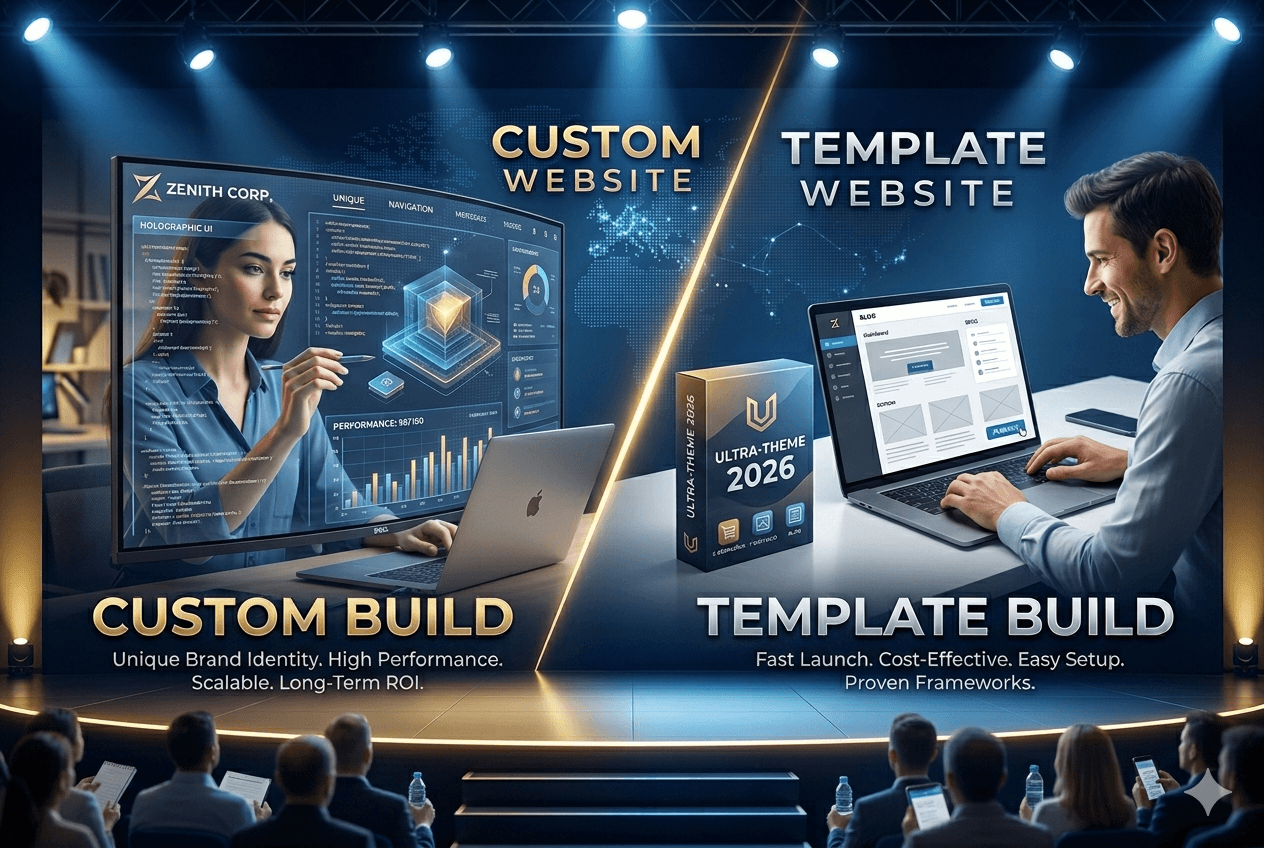

When Should You Choose a Custom Website?

A custom website is the best choice if:

  • You want a unique and professional brand identity
  • You need advanced features or integrations
  • You plan to scale your business significantly
  • You have a higher budget
  • You want complete control over design and performance

Custom websites are ideal for medium to large businesses, startups with funding, and enterprises.


When Should You Choose a Template Website?

A template website is perfect if:

  • You have a limited budget
  • You need a website quickly
  • You’re a small business or freelancer
  • You don’t require complex functionality
  • You prefer easy management without technical skills

Template websites work well for portfolios, blogs, small eCommerce stores, and local businesses.


Pros and Cons Summary

Custom Website

Pros:

  • Unique design
  • High performance
  • Scalable
  • SEO-friendly
  • Full control

Cons:

  • Expensive
  • Time-consuming
  • Requires technical expertise

Template Website

Pros:

  • Affordable
  • Quick setup
  • Easy to use
  • No coding required

Cons:

  • Limited customization
  • Generic design
  • Performance limitations
  • Less scalable

Which Option Is Better?

There is no one-size-fits-all answer.

  • If you prioritize budget and speed, go with a template website.
  • If you prioritize quality, uniqueness, and long-term growth, invest in a custom website.

Think of it this way:

  • A template website is like renting a furnished apartment.
  • A custom website is like building your own house.

Both serve the purpose—but the experience and control are very different.


Final Thoughts

Choosing between a custom website and a template website depends entirely on your business goals.

If you’re just starting out, a template website can help you establish an online presence quickly and affordably. However, as your business grows, you may eventually need to upgrade to a custom solution for better performance, scalability, and branding.

On the other hand, if you already have a clear vision, strong branding, and long-term plans, investing in a custom website from the beginning can save you time and effort in the future.



Pro Tip

Many successful businesses start with a template and later transition to a custom website once they grow. This hybrid approach helps balance cost and scalability.

Top Web Design Trends Businesses Should Follow

In the modern digital era, a business website is more than just an online presence—it is a powerful marketing tool that helps attract customers, build trust, and generate sales. As technology continues to evolve, web design trends also change rapidly. Businesses that fail to update their websites risk looking outdated and losing potential customers. A modern website should be visually appealing, easy to navigate, fast, and optimized for all devices.

Web design trends are influenced by user behavior, technological advancements, and design innovations. Businesses that follow these trends can improve user experience, increase engagement, and strengthen their brand identity. In this blog, we will explore the top web design trends businesses should follow in 2026 to stay competitive in the digital marketplace.


Minimalist and Clean Design

One of the most popular trends in modern web design is minimalist design. This approach focuses on simplicity, clean layouts, and the use of white space. Instead of filling the page with too many elements, minimalist websites focus only on the most important content.

A clean design makes it easier for users to understand the website and find information quickly. It also improves readability and reduces distractions. Minimalist websites usually load faster because they contain fewer heavy elements like large images and complex animations. Businesses benefit from this design style because it creates a professional and modern look while improving the overall user experience.


Mobile-First Website Design

With the increasing use of smartphones, mobile browsing has surpassed desktop browsing in many parts of the world. Because of this shift, businesses must prioritize mobile-friendly website design.

Mobile-first design means designing the website primarily for mobile devices and then adapting it for larger screens. This ensures that users get the best experience on their smartphones. A responsive website automatically adjusts its layout, images, and content based on the screen size.

Mobile optimization also improves search engine rankings because search engines prioritize websites that perform well on mobile devices. Businesses that ignore mobile users risk losing a large portion of their potential audience.


Dark Mode Design

Dark mode has become a popular feature in websites and applications. Many users prefer dark backgrounds because they reduce eye strain, especially when browsing at night or in low-light environments.

Websites that offer both light mode and dark mode options provide a better user experience. Dark mode also creates a modern and stylish look that many users find visually appealing. Businesses in industries like technology, gaming, and creative design often use dark mode to give their websites a sleek and futuristic appearance.


Interactive Micro-Animations

Micro-animations are small visual effects that respond to user interactions. For example, a button may change color when hovered over, or an icon may animate when clicked. These small details make websites feel more interactive and engaging.

Micro-animations help guide users through the website and provide feedback when actions are completed. For example, when a user submits a form or adds a product to the cart, an animation can confirm that the action was successful.

When used properly, micro-animations improve the user experience and make the website feel more dynamic without overwhelming the design.


Custom Illustrations and Graphics

Another growing trend in web design is the use of custom illustrations. Instead of relying on generic stock photos, many businesses are creating unique visuals that reflect their brand personality.

Custom graphics make websites more memorable and visually appealing. They can also help explain complex concepts in a simple and creative way. For example, technology companies often use illustrations to explain how their products or services work.

By using custom visuals, businesses can create a strong brand identity and stand out from competitors.


Faster Website Performance

Website speed plays a critical role in user experience and search engine optimization. Users expect websites to load within a few seconds, and slow websites often lead to high bounce rates.

Businesses are now focusing on optimizing website performance by compressing images, improving coding practices, and using faster hosting services. A fast website not only improves user satisfaction but also increases the chances of ranking higher in search engine results.

Speed optimization has become a key part of modern web design and should never be ignored.


Artificial Intelligence and Personalization

Artificial intelligence is transforming the way websites interact with users. Many modern websites now use AI-powered features to deliver personalized experiences.

For example, an e-commerce website may recommend products based on a user’s previous browsing history. Similarly, a website may show different content based on the user’s location or preferences.

Personalization helps businesses create more meaningful interactions with visitors. When users see relevant content, they are more likely to stay on the website and take action.


Voice Search Optimization

Voice search is becoming increasingly popular as more people use voice assistants on their smartphones and smart devices. Because of this, businesses must start optimizing their websites for voice search.

Voice search queries are usually longer and more conversational than text searches. Websites should include natural language content and answer common user questions clearly.

Optimizing for voice search helps businesses reach a wider audience and stay ahead of changing search behaviors.


Storytelling Through Scrolling

Modern websites are increasingly using storytelling techniques to engage visitors. Instead of presenting all information at once, websites guide users through a story as they scroll down the page.

This approach combines images, animations, and interactive elements to create an immersive experience. Story-driven design keeps users interested and encourages them to explore the website further.

Businesses can use storytelling to explain their brand journey, showcase products, or highlight customer success stories.


Accessibility-Friendly Design

Accessibility is becoming an important consideration in web design. Websites should be usable by everyone, including people with disabilities.

Accessible design includes features such as readable fonts, proper color contrast, keyboard navigation, and alternative text for images. These features make websites easier to use for people with visual or physical impairments.

Designing accessible websites not only supports inclusivity but also improves usability for all visitors.


Bold Typography

Typography has become a major design element in modern websites. Many designers are using large and bold fonts to highlight important messages and capture user attention.

Bold typography can guide visitors through the page and emphasize key content. It also adds personality to the website and strengthens brand identity.

When combined with minimalist design, bold typography can create a powerful visual impact.


Video Backgrounds and Dynamic Media

Video content is becoming more common in web design because it captures attention quickly. Many businesses now use short background videos on their homepage to showcase their products, services, or brand story.

Videos can communicate information faster than text and images alone. However, they should be optimized properly so they do not slow down the website.

When used effectively, videos can make a website more engaging and visually impressive.


Conclusion

Web design trends continue to evolve as technology advances and user expectations change. Businesses that keep their websites updated with modern design practices can create better digital experiences for their customers.

Trends such as minimalist design, mobile-first development, dark mode, micro-animations, personalization, and accessibility are shaping the future of web design. These trends not only improve the visual appearance of websites but also enhance usability and performance.

website-development
Why Every Business Needs a Professional Website in 2026

In 2026, the way customers interact with businesses has changed completely. Most people search online before buying a product, booking a service, or contacting a company. Whether it is a small local business, a freelancer, or a large organization, customers expect every business to have a professional website. Your website is no longer just a digital brochure—it is the foundation of your online presence and one of the most powerful tools for growth.

A professional website helps businesses build trust, attract customers, increase sales, and stay competitive in a digital-first world. Businesses without websites often lose opportunities because customers prefer companies that have a strong and reliable online presence. Below are the key reasons why every business needs a professional website in 2026.


1. Creates a Strong First Impression

Your website is often the first interaction customers have with your business. When someone searches for your services, they usually visit your website to learn more. A modern and professional website creates a positive first impression and shows that your business is serious and trustworthy.

A poorly designed or outdated website can make your business look unprofessional. Customers may assume that your services are low quality or unreliable. On the other hand, a clean, fast, and visually appealing website builds confidence and encourages customers to explore your services further.


2. Builds Trust and Credibility

Trust is one of the most important factors in business success. Customers want to know that they are dealing with a legitimate and reliable business. A professional website helps establish credibility by providing important information about your company.

Your website can include:

  • Business details and company background

  • Contact information

  • Customer reviews and testimonials

  • Portfolio or previous work

  • Certifications and achievements

When customers see this information, they feel more confident choosing your business.


3. Improves Online Visibility

In 2026, most customers use search engines to find products and services. If your business does not have a website, it becomes difficult for customers to find you. A professional website improves your visibility and helps you appear in search results.

This allows your business to:

  • Reach new customers

  • Expand beyond your local area

  • Increase brand awareness

  • Generate more leads

Your website acts as a gateway that connects your business with potential customers.


4. Available 24/7 for Customers

Unlike physical stores, websites are available all the time. Customers can visit your website anytime to learn about your services, even outside business hours.

This provides several benefits:

  • Customers can access information anytime

  • Your business continues to generate leads

  • Customers can contact you anytime

  • Your business becomes more convenient and accessible

Your website works continuously without needing supervision.


5. Cost-Effective Marketing Tool

Marketing is essential for business growth, but traditional marketing methods can be expensive. A website provides a cost-effective marketing solution that delivers long-term results.

With a website, you can:

  • Promote your services

  • Share updates and offers

  • Publish blog content

  • Run digital marketing campaigns

Once your website is created, it continues to promote your business with minimal cost.


6. Helps Generate More Leads and Sales

A professional website plays a major role in generating leads and increasing sales. Customers who visit your website can learn about your services and contact you easily.

Features that help generate leads include:

  • Contact forms

  • Inquiry forms

  • Service pages

  • Call-to-action buttons

These features encourage visitors to take action and become customers.


7. Improves Customer Convenience

Customers prefer businesses that provide quick and easy access to information. A website makes it simple for customers to learn about your services without calling or visiting your office.

Customers can:

  • View your services

  • Check pricing

  • Contact you directly

  • Learn about your business

This improves customer experience and satisfaction.


8. Helps You Compete with Competitors

Most businesses already have websites. If your competitors have professional websites and you do not, customers are more likely to choose them.

A professional website helps you:

  • Stay competitive

  • Present your business professionally

  • Attract more customers

  • Stand out from competitors

Even small businesses can compete with larger companies through a strong online presence.


9. Strengthens Your Brand Identity

Your website represents your brand. It shows your business personality, values, and professionalism. A consistent design helps customers recognize and remember your brand.

Your website reflects:

  • Brand colors

  • Logo

  • Design style

  • Brand message

A strong brand identity builds trust and customer loyalty.


10. Supports Digital Marketing Strategies

A website is the foundation of digital marketing. All marketing efforts lead customers to your website, where they can learn more about your business.

Your website supports:

  • Search engine optimization (SEO)

  • Social media marketing

  • Email marketing

  • Online advertising

Without a website, digital marketing becomes less effective.


11. Provides Full Control Over Your Business Presence

Social media platforms are useful, but you do not have full control over them. Platforms can change their rules or limit your reach. Your website gives you complete control.

You control:

  • Content

  • Design

  • Customer experience

  • Business information

Your website is your permanent digital asset.


12. Showcases Your Products and Services

Your website allows you to present your products and services in detail. Customers can understand your offerings clearly.

You can include:

  • Images

  • Descriptions

  • Features

  • Benefits

This helps customers make informed decisions.


13. Improves Customer Communication

Communication is important for building strong relationships with customers. A website makes communication easy and efficient.

Customers can contact you through:

  • Contact forms

  • Email

  • Chat options

  • Phone details

This improves customer support and satisfaction.


14. Builds Long-Term Business Value

A professional website is a long-term investment. It continues to benefit your business for years.

Long-term benefits include:

  • Continuous customer attraction

  • Improved credibility

  • Increased revenue

  • Strong online presence

Your website becomes one of your most valuable business assets.


15. Mobile-Friendly Experience Is Essential

Most customers use smartphones to browse websites. A professional website ensures a smooth mobile experience.

Mobile-friendly websites provide:

  • Better user experience

  • Faster loading speed

  • Higher customer engagement

  • Better search engine ranking

This helps you reach more customers.


16. Helps Build a Professional Image

A professional website makes your business look serious and reliable. It shows that you care about your customers and your brand image.

Customers trust businesses that have:

  • Professional design

  • Clear information

  • Easy navigation

  • Modern appearance

This improves your business reputation.


Conclusion

In 2026, a professional website is essential for every business. It helps build trust, attract customers, increase sales, and improve brand image. Customers expect businesses to have websites, and companies without one risk losing opportunities.

A professional website acts as your digital office, marketing tool, and sales platform. It works 24/7 to promote your business and connect you with customers. It helps you stay competitive and grow in the digital world.

Businesses that invest in professional websites gain a major advantage. They build stronger brands, attract more customers, and achieve long-term success. In today’s digital age, a professional website is not a luxury—it is a necessity for business growth and success.

Modern Web Technologies Powering High-Performance Websites

In today’s fast-paced digital world, website performance is no longer optional—it is essential. Users expect web pages to load instantly, respond smoothly, and function flawlessly across all devices. Search engines also prioritize fast, optimized websites when ranking results. At Vibgyorweb Technologies, we believe that modern web technologies are the backbone of high-performing, future-ready websites.

This blog explores the key modern web technologies that power high-performance websites and explains how Vibgyorweb Technologies leverages them to deliver faster, scalable, and reliable digital solutions.


What Defines a High-Performance Website?

A high-performance website delivers content quickly and efficiently while maintaining stability and responsiveness. Key characteristics include fast page load times, smooth interactivity, minimal downtime, and optimized resource usage. Performance directly affects user engagement, bounce rates, and conversions.

At Vibgyorweb Technologies, we focus on building websites that not only look modern but also perform exceptionally well under real-world conditions.


Modern JavaScript Frameworks and Libraries

JavaScript frameworks have transformed frontend development by enabling dynamic and interactive user interfaces. Popular frameworks such as React, Vue.js, and Angular use component-based architectures that allow updates to specific page elements instead of reloading the entire page.

React improves performance through its virtual DOM, Vue.js offers flexibility and lightweight performance, while Angular provides enterprise-level tools for large applications. Vibgyorweb Technologies carefully selects the right framework based on project requirements to ensure optimal speed and scalability.


Single Page Applications (SPAs)

Single Page Applications load content dynamically without refreshing the entire page. After the initial load, content is fetched using APIs and rendered instantly. This approach creates a seamless, app-like user experience.

At Vibgyorweb Technologies, SPAs are widely used for dashboards, SaaS platforms, and business applications where speed and user interaction are critical.


Jamstack Architecture

Jamstack is a modern web architecture that emphasizes performance, security, and scalability. It is based on JavaScript, APIs, and prebuilt markup. Instead of generating pages on demand, Jamstack websites are deployed as static files on CDNs.

This approach eliminates server delays, improves security, and ensures fast load times. Vibgyorweb Technologies uses Jamstack architecture for marketing websites, blogs, and e-commerce platforms that demand high speed and reliability.


Server-Side Rendering (SSR) and Static Site Generation (SSG)

Rendering strategies play a vital role in website performance and SEO. Server-Side Rendering generates HTML on the server before sending it to the browser, improving initial load speed and search engine visibility.

Static Site Generation pre-renders pages during the build process, delivering ultra-fast performance through CDNs. Vibgyorweb Technologies uses modern frameworks like Next.js and Nuxt.js to implement SSR and SSG based on project needs.


WebAssembly (Wasm)

WebAssembly enables high-performance code execution in the browser by allowing languages like C, C++, and Rust to run at near-native speed. This technology is ideal for performance-intensive tasks such as image processing, data visualization, and advanced web applications.

At Vibgyorweb Technologies, WebAssembly is used to enhance performance where traditional JavaScript may fall short.


Content Delivery Networks (CDNs)

CDNs distribute website content across global servers, ensuring users receive data from the nearest location. This significantly reduces latency, improves load times, and handles traffic spikes efficiently.

Vibgyorweb Technologies integrates leading CDN solutions to ensure consistent performance and high availability for clients across different regions.


Modern Image and Asset Optimization

Images and static assets contribute heavily to page size. Modern optimization techniques such as next-generation image formats, responsive images, and lazy loading drastically reduce load times.

At Vibgyorweb Technologies, we implement advanced asset optimization strategies to ensure visually rich websites without compromising performance.


HTTP/3 and Modern Network Protocols

HTTP/3, built on the QUIC protocol, enhances website performance by reducing latency and improving connection reliability. It enables faster handshakes and smoother data transmission, especially on unstable networks.

Vibgyorweb Technologies adopts modern network protocols to deliver faster and more secure web experiences.


API-Driven Development and Microservices

API-driven development separates frontend and backend systems, allowing independent development and scalability. Microservices architecture further improves performance by breaking applications into smaller, manageable services.

At Vibgyorweb Technologies, this approach ensures high reliability, faster updates, and seamless integration with third-party services.


Performance Monitoring and Continuous Optimization

Performance optimization is an ongoing process. Tools such as Lighthouse, PageSpeed Insights, and real-user monitoring help identify issues and opportunities for improvement.

Vibgyorweb Technologies continuously monitors website performance to ensure long-term speed, stability, and user satisfaction.


Security as a Performance Factor

Modern security practices such as HTTPS, secure authentication, and optimized encryption not only protect websites but also enhance performance. Secure websites build trust and reduce downtime caused by cyber threats.

At Vibgyorweb Technologies, security and performance go hand in hand.


The Future of High-Performance Websites

The future of web development lies in faster execution, smarter caching, edge computing, and AI-driven optimization. Businesses that adopt modern web technologies will remain competitive in the digital landscape.

Vibgyorweb Technologies stays ahead of these trends to deliver future-ready digital solutions.


Conclusion

Modern web technologies are the foundation of high-performance websites. From JavaScript frameworks and Jamstack architecture to CDNs and WebAssembly, each technology contributes to speed, scalability, and user experience.

At Vibgyorweb Technologies, we combine these technologies with industry best practices to build fast, secure, and scalable websites that help businesses grow. In today’s competitive digital environment, performance is not just a feature—it is a necessity.

How to Improve Mobile App & Website Performance and Speed

In today’s hyper-connected world, users demand fast, seamless experiences—whether they’re browsing a website or using a mobile app. The performance of your digital platform directly impacts user satisfaction, engagement, SEO rankings, and even revenue. In fact, studies show that a 1-second delay in load time can reduce conversions by 7%.

If your app or website is lagging behind, you’re losing users—and possibly business. But don’t worry—this guide will show you actionable strategies to boost the speed and performance of both mobile apps and websites.

? Mobile App Performance: Speed Up Your User Experience

Mobile users expect instant responses. A delay of even a few seconds can lead to uninstalls or negative reviews. Here’s how you can make your app feel faster and smoother:

  1. Streamline Code and Architecture
  • Write modular, reusable code: This makes debugging and scaling easier.
  • Avoid memory leaks: Use tools like LeakCanary (Android) or Instruments (iOS).
  • Optimize algorithms: Replace inefficient loops or recursive functions with optimized versions.
  1. Minimize App Size

A bloated app can slow down installation and performance. Try these:

  • Remove unused assets and libraries
  • Use ProGuard/R8 (Android) to shrink, obfuscate, and optimize code.
  • Compress media files using modern image and video codecs like WebP or HEVC.
  1. Optimize Network Usage

Poor network handling can make your app feel sluggish.

  • Use caching: Cache API responses and static assets locally.
  • Compress data: Use Gzip or Brotli to reduce payload size.
  • Reduce API calls: Fetch only what’s needed and use pagination for large datasets.
  1. Accelerate UI/UX Performance

A smooth UI is crucial for user engagement.

  • Reduce overdraw: Minimize unnecessary UI layering.
  • Use GPU rendering wisely: Offload animations and transitions.
  • Run intensive tasks in background threads to keep the UI responsive.
  1. Test, Monitor, and Optimize Continuously

Performance isn’t a one-time fix. Use real-time tools to stay ahead:

  • Android Profiler / Xcode Instruments
  • Firebase Performance Monitoring
  • Crashlytics for crash analysis
  • Benchmark against user flows and track metrics like frame rate, startup time, and memory usage.

? Website Performance: Speed Up Every Click

Website speed is more than a luxury—it affects SEO, bounce rates, and user loyalty. A delay of just 2 seconds can increase bounce rates by over 50%. Here’s how to fix that:

  1. Optimize Media Assets

Heavy images and videos are the number one cause of slow websites.

  • Use next-gen formats: Convert images to WebP or AVIF for 30–50% size savings.
  • Lazy load media: Load images/videos only when they enter the viewport.
  • Use image CDNs: Tools like Cloudinary or Imgix optimize and deliver images dynamically.
  1. Minify and Compress Everything

Reduce the size of files sent to the browser:

  • Minify CSS, JS, and HTML with tools like Terser or CSSNano.
  • Enable Gzip or Brotli compression on your server.
  • Bundle and tree-shake JavaScript modules to remove unused code.
  1. Leverage Browser and Server Caching

Speed up repeat visits and reduce server load:

  • Set cache-control headers for static assets (images, fonts, scripts).
  • Use service workers to cache essential resources for offline use.
  • Implement server-side caching using Redis, Varnish, or similar tools.
  1. Use a Content Delivery Network (CDN)

Distribute your content globally for faster delivery:

  • Choose CDNs like Cloudflare, Fastly, or Akamai
  • Cache static files close to users
  • Reduce latency and bandwidth usage
  1. Reduce Render-Blocking Resources

Browsers stop rendering when CSS and JS files are loading.

  • Defer or async JavaScript that isn’t needed immediately.
  • Inline critical CSS to render above-the-fold content faster.
  • Split code intelligently using Webpack or Vite to only load necessary code.
  1. Prioritize Mobile Optimization

With mobile-first indexing, your mobile site must load fast.

  • Use responsive images and layouts
  • Avoid pop-ups and interstitials that slow down navigation
  • Test regularly on 3G/4G connections

? Tools to Audit and Monitor Performance

Regular testing is the backbone of good performance. Use these tools to get insights and recommendations:

? Mobile Tools:

  • Firebase Performance Monitoring
  • Android Profiler / Xcode Instruments
  • Sentry / Crashlytics for real-time error tracking
  • Detox or Appium for automated performance testing

? Website Tools:

  • Google Lighthouse
  • PageSpeed Insights
  • GTmetrix
  • WebPageTest
  • Chrome DevTools > Performance Tab

These tools can help you measure Time to First Byte (TTFB), Largest Contentful Paint (LCP), Time to Interactive (TTI), and Cumulative Layout Shift (CLS)—all crucial Core Web Vitals.

? Pro Tips for Developers

Whether you’re optimizing a React Native app or a WordPress site, here are some advanced tips:

For React Native:

  • Use FlatList over ScrollView for large datasets
  • Use React.memo and useCallback to prevent unnecessary renders
  • Avoid anonymous functions inside renders

For WordPress:

  • Install lightweight themes like Astra or Neve
  • Use performance plugins like WP Rocket or LiteSpeed Cache
  • Disable unused plugins and limit server-side rendering

For PWAs:

  • Preload critical resources
  • Use service workers for asset caching
  • Ensure minimal time to interactive with skeleton loaders

? Set a Performance-First Culture

  1. Define a Performance Budget

Set limits for page size, load time, or number of HTTP requests—and stick to them.

  1. Automate Performance Testing in CI/CD

Integrate Lighthouse CI or WebPageTest into your deployment pipeline to catch regressions before they go live.

  1. Optimize Continuously

Performance isn’t a “set it and forget it” deal. Continually profile, test, and improve.

? Final Thoughts

Speed is a silent conversion killer. Whether you’re building a mobile app or managing a website, delivering a lightning-fast experience is no longer optional—it’s expected.

By optimizing code, compressing assets, leveraging caching and CDNs, and regularly monitoring performance, you can transform your digital experience into something users love to return to.

Want personalized help optimizing your app or website? Contact our team or leave a comment below—we’d love to help!

How to Build a High Performance Website by Vibgyorweb Technologies

In a world where users expect lightning-fast load times and seamless experiences, website performance isn’t optional—it’s essential. Whether you’re creating a personal portfolio or a business-critical platform, building a high-performance website from the ground up requires smart planning and the right techniques.
Here’s a step-by-step guide to help you build a blazing-fast website by vibgyorweb Technologies.

vibgyorweb Technologies Plan with Purpose

Before writing a single line of code:
Define Objectives: What’s the primary goal—lead generation, e-commerce, content sharing?
Understand Your Audience: Mobile or desktop? Global or local? These factors shape design and performance decisions.
Map the Structure: Create a clear site architecture and user journey.
A well-structured plan keeps your build focused and performance-oriented.

Choose a Performance-Friendly Tech Stack
Your technology choices have a direct impact on speed:
Frontend: Lightweight frameworks like Next.js, SvelteKit, or Astro offer server-side rendering (SSR) and static site generation (SSG) out of the box.
Backend: Lean options like Node.js (with Fastify/Express), Go, or Python (FastAPI) are known for quick server response.
Hosting: Opt for platforms with built-in CDNs such as Vercel, Netlify, or Cloudflare Pages.
Design with Speed in Mind
Performance starts at the design level:
Minimalist UI: Avoid clutter and unnecessary visuals.
System Fonts & Async Fonts: Reduce font load times.
Responsive, Mobile-First Design: Prioritize mobile users with flexible layouts and media queries.

Optimize Your Assets
Heavy assets are the #1 speed killer:
Images: Use next-gen formats like WebP or AVIF, compress them, and lazy-load ().
Minify & Compress: Trim down CSS, JavaScript, and HTML. Enable Gzip or Brotli compression server-side.
Async & Defer Scripts: Load non-critical scripts asynchronously to prevent render-blocking.

Write Efficient, Clean Code

Keep your codebase lean:
Limit DOM Elements: Fewer elements = faster rendering.
Use Only Essential Libraries: Avoid bloated dependencies.
Bundle & Tree-shake: Tools like Vite, esbuild, or Webpack help eliminate unused code.
CSS Utility Classes & Variables: Tools like Tailwind CSS reduce redundant styling.

Focus on Core Web Vitals
Google’s Core Web Vitals measure real-world user experience:

LCP (Largest Contentful Paint): Optimize server speed and large asset load times.
FID (First Input Delay): Minimize heavy JavaScript and prioritize interactivity.
CLS (Cumulative Layout Shift): Reserve space for dynamic content to prevent unexpected layout shifts.

Audit regularly using Lighthouse, PageSpeed Insights, or WebPageTest.

Leverage Caching & CDNs
Performance is also about delivering content smartly:

Browser Caching: Set long expiration times for static files.
Server-Side Caching: Cache frequently requested pages and database queries.
CDNs: Distribute content closer to users geographically to reduce latency.

Secure & Monitor Your Site Continuously
ast and secure go hand-in-hand:
HTTPS by Default: Essential for both security and speed (HTTP/2 & HTTP/3 improvements).
Real-Time Performance Monitoring: Tools like New Relic, Datadog, or Google Analytics Site Speed keep tabs on real-world performance.
Automated Performance Testing: Set thresholds and integrate tests into your CI/CD pipeline.

Progressive Enhancement Strategy
Always build the core experience first:

Ensure essential functionality works even without JavaScript.
Add advanced features progressively without degrading performance.
Final Thoughts
A high-performance website isn’t just about flashy tech—it’s about intentional choices at every stage: from planning and design to optimization and monitoring.

Remember: every millisecond counts. Delight your users with a fast, smooth, and secure experience, and they’ll keep coming back.
Want a downloadable checklist version of this guide or a real-world starter template? Drop a comment—happy to create one for you!
Would you like me to format it with SEO-optimized meta descriptions, images, or CTAs for publishing? ?

Book Free Consultation